
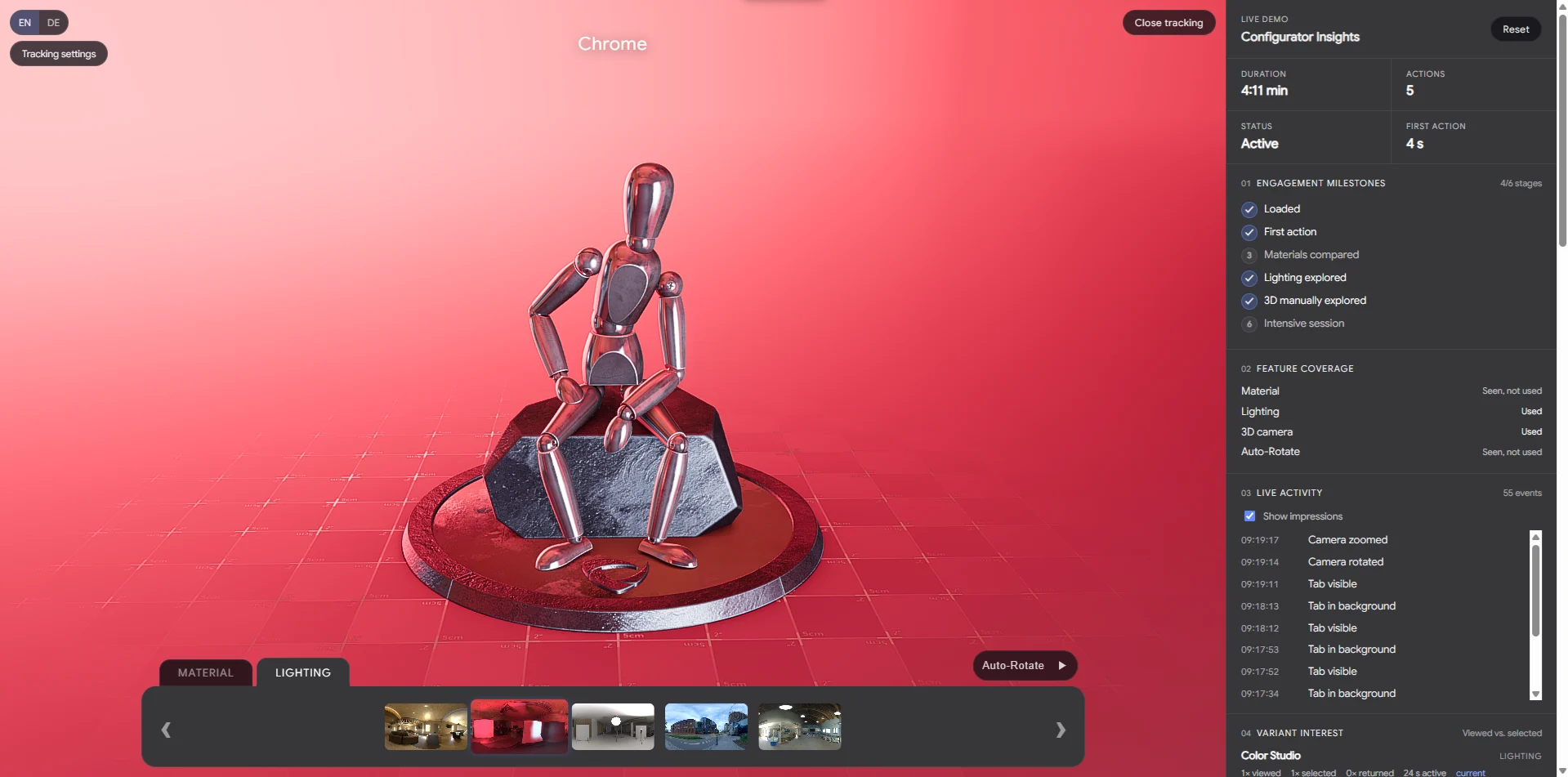
See how visitors explore your product.
Go beyond page views with meaningful interactions inside your VisCircle configurator. Viewing an option, selecting it and successfully applying a change are measured separately.
See which variants attract attention.
Track visible options, selection actions and successful changes of material and lighting environment. Understand what visitors explore and apply.
Understand how people interact.
Measure rotation, zoom and pan. See when automatic rotation is enabled and when visitors take over to explore the product themselves.
Measure meaningful time with your product.
Review estimated active usage time and active time spent with each applied variant. Identify the options that receive sustained attention.
Spot friction in the experience.
Review observed load attempts, measured load times, loading errors and failed variant changes. Prioritise improvements using clear technical signals.
From interactions to clear insights.
Explore configurator usage, variant interest and technical quality in your own analytics accounts.
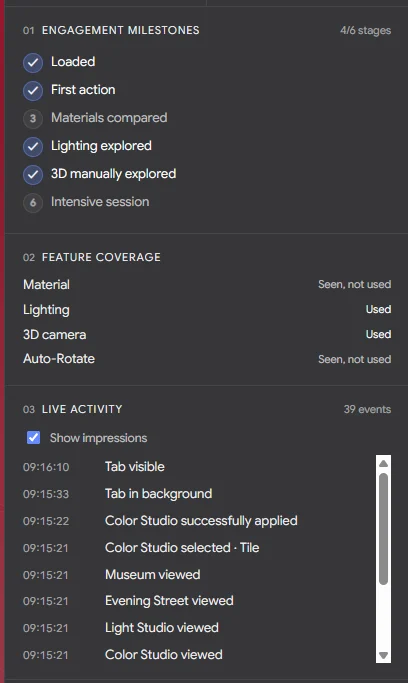
A live view of the tracking demo.
Your GA4 and Data Studio report is configured separately.
Usage overview
Follow tracked events, estimated active usage time, variant changes and feature usage over time.
Variants & features
Compare visible options, selections, successful changes and active time per variant. Camera and auto-rotation actions are shown separately.
Technical quality
Review measured load times, observed loading attempts, loading errors and failed variant changes.
One report, three pages. Complete setup includes the implemented Data Studio report. Self-service and assisted setup include a build guide. Date filters and device comparisons depend on the available GA4 data.
Your accounts. Your data. Google Tag Manager, GA4 and the Data Studio report stay in your organisation’s accounts.
Choose the setup that fits your team.
OPTION A
Self-service setup
For your development team or analytics agency.
- Tracking module, integration guide and event catalogue
- Step-by-step GTM, GA4 and consent integration instructions
- Build guide for the three-page Data Studio report
- Checklist for data flow and functional testing
Your team implements and tests. Individual validation by VisCircle can be booked separately.
OPTION B
Assisted setup
For teams who want expert guidance while implementing.
- All self-service documentation
- One shared setup session
- Support with parameters, consent and report configuration
- One review session with documented findings
You implement. We guide and review. Your team applies changes and corrections.
OPTION C
Complete setup
For businesses who want an implemented analytics setup.
- Measurement plan and tracking integration by VisCircle
- GTM configuration, GA4 dimensions and custom metrics
- Consent integration and a three-page Data Studio report
- Functional testing, documentation and handover
We implement and verify. Includes one consolidated correction round within the agreed scope.
A clear path from setup to insights.
We start with your existing setup, agree on what to measure and guide the implementation through to a verified handover.
For complete setup, VisCircle leads implementation and testing with support and access from your IT team. For self-service and assisted setup, your team carries out the implementation.
Your setup at a glance.
Included in the standard setup
- One configurator, product and domain. An existing, technically compatible VisCircle setup.
- Direct or iframe integration.
- Material and lighting environment tracking.
- One GA4 property and one web GTM container.
- Connection to one existing consent solution.
- A three-page Data Studio report. Implementation or a build guide, depending on your chosen option.
What we need from you
- Editing permissions for GTM, GA4 and Data Studio.
- Website and configurator access through your team or VisCircle.
- A technical point of contact.
- An existing consent solution that can be connected.
- Your approvals, privacy information and legal assessment.
Additional configurators
This offer focuses on tracking and reporting for VisCircle configurators.
Further configurators, products and tailored usage reports can be scoped separately.
Pricing on request
A one-off fixed price, agreed after a technical review.
Ongoing support and any third-party or licence costs are agreed separately.